One checklist app for flying, simming and everyday life.
Build your own flows for aircraft procedures, flight simulation or daily routines – with clear focus, audio mode and fast navigation.
Designed for pilots, built to work anywhere a checklist makes life easier.
- • Create, rename and reorder groups and items.
- • Import & export simple text files for easy sharing.
- • Audio Mode that can read aloud; enable Speech Recognition for hands-free (“Checked”).
- • Free version with limits, unlock full version in-app.

Key features
UniChecklist keeps checklists simple and predictable, so you can focus on what you’re doing — not on the app.
Clear group structure
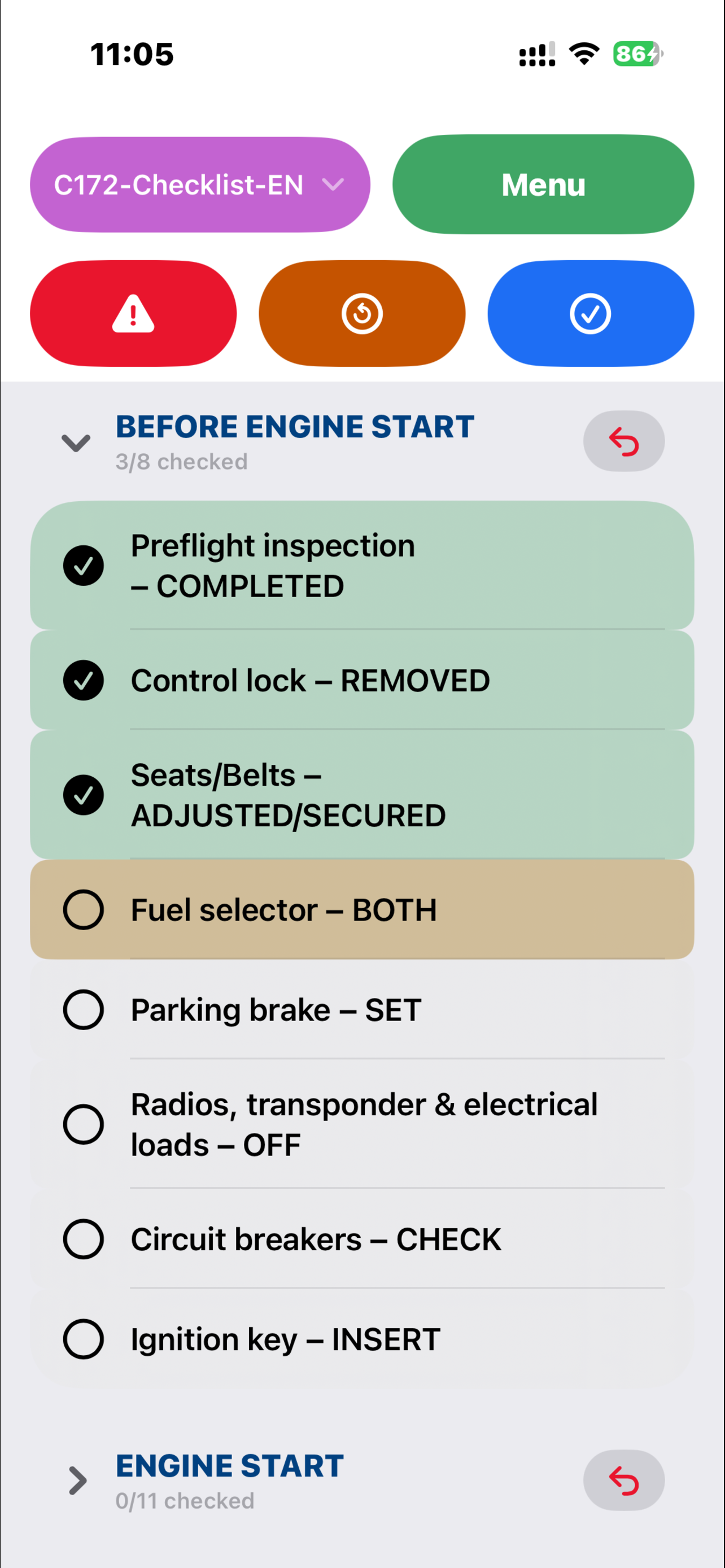
Organize procedures into groups like “Before Engine Start”, “Run-Up/Hold Short” or “After Landing”. Collapse or expand groups to keep the current phase in focus.
Fast & focused workflow
Tap to focus an item, then use “Check Next” to move through your flow. The current item always stays visible so you don’t lose your place.
Audio Mode
The app reads the current item aloud. Turn on Speech Recognition to listen for your phrase (default: “Checked”) and advance hands-free. On iPhone, recognition requires a headset; without it you use “Check Next” with louder playback.
Text import & export
Checklists are plain UTF-8 text files. Import via the Share sheet (“Open in …”) as .txt or .unichecklist, edit them with any text editor, and export directly in the app.
How it works
Whether you fly in real life, in a simulator, or just like structured routines, getting started takes only a few minutes.
1. Create or import
Create a new checklist inside the app, or import a .txt/.unichecklist file via the Share sheet or Files, using a simple format with group headers and items.
2. Run your procedures
Use the header buttons to reset, jump to a group, or advance through items. Audio Mode can simply read items; with Speech Recognition on, it listens for your phrase and advances automatically.
3. Reuse and share
Duplicate checklists, tweak them for different aircraft or scenarios, and export them if you want to share with others.
Free version & full version
Start for free with limits. Upgrade once, and remove them permanently on your Apple ID.
Free version
- Up to 2 checklists.
- Up to 2 groups per checklist.
- Up to 7 items per group.
Full version (In-App Purchase)
- No limits on number of checklists, groups or items.
- Best for pilots, simmers and power users.
- One-time unlock via App Store purchase.
Resources
User manual
Detailed description of all buttons, menus, Audio Mode, Speech Recognition, import/export and settings.
Privacy
No tracking, no ads, no external analytics. Your checklists stay on your device.
Sample checklist
Try the import feature with a C172 example checklist.
Feedback
If you find a bug or have a feature request, you’re welcome to send feedback.